manic01
VIP Member
Fire TV bug is preventing Downloader and other apps from appearing in the ‘Install Unknown Apps’ list.
A recent Fire TV bug in the latest versions of Fire OS 7 and Fire OS 8 is affecting users who wish to sideload apps. The issue prevents Amazon’s streaming devices from listing all apps capable of installing other apps within the device’s developer options. If an app, such as my Downloader app, isn’t listed in the device’s ‘Install unknown apps’ list, there is no way to grant it permission to install unknown apps until Amazon fixes the problem.
The bug isn’t actually new. It just hasn’t had a chance to surface until now. Even though the settings interface has not waited for the full ‘Install unknown apps’ list to be generated for a few updates now, the creation of the list has happened fast enough in the past that it was still ready in time for the interface to show it. What has changed is a regression in performance of the Fire TV’s settings app with the latest update.
When generating the list of ‘Install unknown apps’ candidates, the Fire TV settings app used to skip all system apps before checking an apps details, since system can’t be in the list anyway. The new version of the settings app now checks the details of all apps, including system apps, to determine if they have the ability to install apps from unknown sources. By now uselessly checking the details of all system apps, the list takes much longer to generate and results in the interface showing the list before it has finished generating.
The issue is also more likely to affect some apps than others. When the ‘Install unknown apps’ list is generated, the OS traverses through the list of all apps in a set order that is determined by a hash of the app’s package name. If an app happens to be ordered near the top of the list, it is more likely to appear in the partially generated list before the interface is ready to display the list. Unfortunately, Downloader is unlucky and winds up closer to the bottom of the list, so it is less likely than most to be listed correctly.
The Fix
Only Amazon can fix this issue. If you encounter the issue on your device, there is no way to force the list to be refreshed or generated correctly. Even if you uninstall and reinstall apps, the issue just gets hit again when the new list is generated the next time you open it in settings. You can try restarting your device, opening Settings, waiting a minute, and then checking the ‘Install unknown apps’ list again to see if it generates correctly this time, but it likely won’t.
Your best option is to check for updates by going to Settings > My Fire TV > About > Check for Updates. Hopefully, Amazon will fix the issue quickly and release an update. The update may arrive as a new Fire OS version, or it may arrive as a system component update to the settings app. If it is the latter, then the Fire OS software version shown on the Fire TV about page may not change, even though the issue has been fixed.
The Workaround
Downloader can still download app APK files. It just can’t install them until this issue is fixed and Downloader correctly appears in the ‘Install unknown apps’ list. In the meantime, people encountering this issue can download APK files with Downloader and install them with another app that is lucky enough to have a package name that places it higher in the random list.
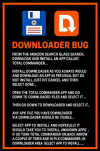
The file manager app Total Commander is your best bet. Of all the apps I’ve checked with the ability to install APKs, its package name results in the highest appearance in the random app list, so it has the best chance of appearing in the ‘Install unknown apps’ list. There’s still a strong chance that no apps will appear in the list, which means you just need to wait for Amazon to fix the issue. If Total Commander appears in the list but Downloader does not, just download your files with Downloader as usual, then open Total Commander and navigate to the “Downloaded files > Downloader” folder, and select the APK file you want to install.
A recent Fire TV bug in the latest versions of Fire OS 7 and Fire OS 8 is affecting users who wish to sideload apps. The issue prevents Amazon’s streaming devices from listing all apps capable of installing other apps within the device’s developer options. If an app, such as my Downloader app, isn’t listed in the device’s ‘Install unknown apps’ list, there is no way to grant it permission to install unknown apps until Amazon fixes the problem.
Affected Fire TVs
Once a user installs Downloader, or another app capable of installing APK files on a Fire TV, they must go into the device’s developer options and toggle on permission for the app to install other apps. This list is no longer showing all apps on the device that can install unknown apps. This issue appears to have been present in the Fire TV’s settings for some time, but a recent change in Fire OS 7 version 7.7.1.6 (5665) and Fire OS 8 version 8.1.8.2 (3811) has made it far more likely to encounter the issue. Fire TVs running Fire OS 5 and Fire OS 6 are unaffected.The Issue
When the ‘Install unknown apps’ menu is selected under the Settings > My Fire TV > Developer options menu, a list of apps that are capable of installing other apps is generated by the device. The issue is that the interface does not wait for the list to finish generating before displaying it. This can result in an incomplete list being shown, which is why some apps, like Downloader, are not appearing in the list when they should. I’ve verified this behavior by decompiling the new v1.0.19153.0 of the Fire TV Settings app (com.amazon.tv.settings.v2) that is included in the latest Fire OS updates.The bug isn’t actually new. It just hasn’t had a chance to surface until now. Even though the settings interface has not waited for the full ‘Install unknown apps’ list to be generated for a few updates now, the creation of the list has happened fast enough in the past that it was still ready in time for the interface to show it. What has changed is a regression in performance of the Fire TV’s settings app with the latest update.
When generating the list of ‘Install unknown apps’ candidates, the Fire TV settings app used to skip all system apps before checking an apps details, since system can’t be in the list anyway. The new version of the settings app now checks the details of all apps, including system apps, to determine if they have the ability to install apps from unknown sources. By now uselessly checking the details of all system apps, the list takes much longer to generate and results in the interface showing the list before it has finished generating.
Why Only Some Apps and Some Devices
This bug is what is called a race condition, where one piece of code is racing another to finish before another piece of code needs the information. Even though the bug and slower list generation is present on all Fire OS 7 and 8 devices on the latest OS update, higher performance Fire TVs, like the Fire TV Stick 4K Plus, 2nd-gen Fire TV Stick 4K Max, and Fire TV Cube, are less likely to hit the issue because they can churn through the full list of apps, including system apps, fast enough before the interface displays the list. Older and slower devices, like the Fire TV Stick Lite, 3rd-gen Fire TV Stick, and 1st-gen Fire TV Stick HD, have weaker processors and can’t generate the list fast enough, so the interface ends up displaying a partial list.The issue is also more likely to affect some apps than others. When the ‘Install unknown apps’ list is generated, the OS traverses through the list of all apps in a set order that is determined by a hash of the app’s package name. If an app happens to be ordered near the top of the list, it is more likely to appear in the partially generated list before the interface is ready to display the list. Unfortunately, Downloader is unlucky and winds up closer to the bottom of the list, so it is less likely than most to be listed correctly.
The Fix
Only Amazon can fix this issue. If you encounter the issue on your device, there is no way to force the list to be refreshed or generated correctly. Even if you uninstall and reinstall apps, the issue just gets hit again when the new list is generated the next time you open it in settings. You can try restarting your device, opening Settings, waiting a minute, and then checking the ‘Install unknown apps’ list again to see if it generates correctly this time, but it likely won’t.
Your best option is to check for updates by going to Settings > My Fire TV > About > Check for Updates. Hopefully, Amazon will fix the issue quickly and release an update. The update may arrive as a new Fire OS version, or it may arrive as a system component update to the settings app. If it is the latter, then the Fire OS software version shown on the Fire TV about page may not change, even though the issue has been fixed.
The Workaround
Downloader can still download app APK files. It just can’t install them until this issue is fixed and Downloader correctly appears in the ‘Install unknown apps’ list. In the meantime, people encountering this issue can download APK files with Downloader and install them with another app that is lucky enough to have a package name that places it higher in the random list.
The file manager app Total Commander is your best bet. Of all the apps I’ve checked with the ability to install APKs, its package name results in the highest appearance in the random app list, so it has the best chance of appearing in the ‘Install unknown apps’ list. There’s still a strong chance that no apps will appear in the list, which means you just need to wait for Amazon to fix the issue. If Total Commander appears in the list but Downloader does not, just download your files with Downloader as usual, then open Total Commander and navigate to the “Downloaded files > Downloader” folder, and select the APK file you want to install.