openvpn

inadayswork

TK Veteran
Hi, i've just signed up for ipvanish and i have gone through a guide (everything seems correct, files, etc) to run it via openvpn. However nothing happens when i press green to start. Do i need a particular script to run openvpn on openatv 6.3? The box i'm installing it on is a h5.tc

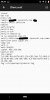
Can someone please check my Client.conf file, although I'm certain it is correct
 

Attachments
  • sketch-1577094047138.png
    sketch-1577094047138.png
    160.7 KB · Views: 59
Last edited:
yes, have you got the latest script. the one i used was yours from Linus, but don't know how old it was
It should be linked to the generator site.

Code:
http://e2openvpn.com/OpenVPN_Generator/

Add your username and password then choose generate copy and paste the generated command in terminal in openwebif or putty telnet
 
just tried it on my h2h but the box crashed at 49 and had to delete it via a script command to get the box back working
 
you do not need a plugin you just need the ipvanish ca.cert file, the client.conf as you have and then a login.txt file with your username and password all ftp into the openvpn folder
 
Is it the same as PIA where you need the PPTP/L2TP/SOCKS Username and Password? I know of many who have entered their main user/pass instead and (of course) that doesn't work
 
Hi, i've just signed up for ipvanish and i have gone through a guide (everything seems correct, files, etc) to run it via openvpn. However nothing happens when i press green to start. Do i need a particular script to run openvpn on openatv 6.3? The box i'm installing it on is a h5.tc

Can someone please check my Client.conf file, although I'm certain it is correct
Just a thought, if you have used text editor to add server details check that file is saved as client.conf and not as client.conf.txt
 
No, all files are correct. However, the ipvanish guide says to use account user and password. Should I be using the socks one?
 
Goto network menu and start openvpn does it stay green and running?

If it's green goto network menu and run a network test to see if you get any errors.

With virgin I have to use Google dns.

Turn off VPN, in network menu run network wizard turn dhpc to no and set Google dns from there.

8.8.8.8 and 8.8.4.4
 
Back
Top