You are using an out of date browser. It may not display this or other websites correctly.
You should upgrade or use an alternative browser.
You should upgrade or use an alternative browser.
Vanished - My ATA Toshiba HDwl110 - intrnal (HDD) (976.76) has disapeared from my Gigablue uhd ue 4k
- Thread starter Billy315
- Start date


I think so. One day it is recoerding and the next nothing.Does device manager tell you the drive is still mounted ?
It says disc is full as you try to record.I think so. One day it is recoerding and the next nothing.
It is identical to the one downstairs and that one has 70% free and it is a year older.So its full then needs a clear out.
Are the recorded files there to see under the video or Play button > ?

pabloescaban
VIP Member
please answer the questions you are asked.It is identical to the one downstairs and that one has 70% free and it is a year older.
no one enquired where or how old it is

grog68
VIP Member
Go into mount manager and make sure it's mounted on /media/hdd, if not then mount it. If it is, it might be worth unmounting it and then remounting.
If it's not mounted then screens like file list will say it's full as it is looking at internal memory and not the hdd.
When you press the file list button to get recordings up, what do you actually see if not recordings?
If it's not mounted then screens like file list will say it's full as it is looking at internal memory and not the hdd.
When you press the file list button to get recordings up, what do you actually see if not recordings?
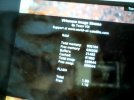
This is what it says.
I have tried to get to
I have tried to get to
I have /media/hdd/movies/Go into mount manager and make sure it's mounted on /media/hdd, if not then mount it. If it is, it might be worth unmounting it and then remounting.
If it's not mounted then screens like file list will say it's full as it is looking at internal memory and not the hdd.
When you press the file list button to get recordings up, what do you actually see if not recordings?
Attachments

grog68
VIP Member
the first image is showing the internal ram not the hdd memory, the 2nd image is really small and I can't make out what it is showing sorry.This is what it says.
I have tried to get to
I have /media/hdd/movies/
You would have /media/hdd/movies but it's probably a folder on internal memory if the hdd is NOT mounted, have you checked the Mount Manager?
I am at mount/ mountsmanager/ not sure what to do next? Sorry about pic.the first image is showing the internal ram not the hdd memory, the 2nd image is really small and I can't make out what it is showing sorry.
You would have /media/hdd/movies but it's probably a folder on internal memory if the hdd is NOT mounted, have you checked the Mount Manager?
Attachments
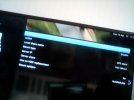
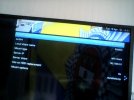
That's network mounts.
MENU > SETUP > VIX > MOUNT MANAGER
Attachments
Accelerated_Dragon
Member
Did you try to download a new plugin to watch movies etc. Can't remember the name but used to have similar issue on my old box using vix . The software corrupt something and hdd was not useable until you flash new image from scratch. You will not loose any files though.
grog68
VIP Member
you know you want to tell him to flash box with ATV and then will be trouble free 🤣 🤣 🤣Main cause of HDD problems is unplugging it when the box is powered on.
I would switch the box off completely and unplug it from the mains.
Unplug the HDD and plug it back in.
Power the box back on and see if that sorts it.

Willo3092
VIP Member
you know you want to tell him to flash box with ATV and then will be trouble free 🤣 🤣 🤣
I actually want to tell him to flash Grogbuild!