Can i edit my line directly on the box?

rekutt

Member
I know how to update my line info using a laptop and ftp but i want to know if i can do it direct from the box.

Reason is my parents have a Zgemma H2S but live abroad, I need to update their line but it's a massive hassle posting the box to me in the UK for me to sort it.

If it could be done from the box then i could go through it with them over facetime.

I know it can be done on openbox but not sure with the Zgemma.


Any thoughts?
 
If you are using the Wooshbuild, they have two options
1. Use dream editor plugin to navigate to the line in usr/keys, then edit it from there, or
2. send the file to them on a USB stick, they plug it into the front, and run the cam importer
 
Unfortunately their box is running VIX and not wooshbuild ;(

Is there anything that can be done on VIX??
 
do they have a laptop/pc there?
if they do then get teamviewer installed on it, then you can remote control their laptop/pc and then FTP on to the box that way.
 
You might be able to find the dream editor plugin apk file somewhere, or I am available to travel most weekends. lol

Are they not at all tech savvy? It is really an easy thing to do, or you could both install team viewer, which allows you to take control of their computer, and you could FTP it over.
 
They are nearly 70 and don't know how to use the laptop never mind ftp to a box
TeamViewer could be an option but it still means them installing it.
If they have to send me the box I'll put wooshbuild on it so they could use cam importer in future.
 
Is there no one that can use a laptop that are friends/neighbours where they live? If not. You'll just have to teach them. You're never too old to learn! A simple ftp app for their phone could have them sorted in minutes.
 
Ah I didn't know they had ftp apps for phones. They have an iPad which I could email the new line to and then they could ftp it over from that.
Is there any ftp iPad apps?
 
Another Softcam question for VIX

Im trying to get a new line working on my parent's box in France so I'm doing it remotely.

Ive used an ftp program from their ipad which was easy enough but as its a new line i needed to restart their cam to get it working.

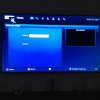
But from the screen shot below this is what they currently see on screen, have they deleted their cam too?

Or what do they need to press to get the cam running again.

Cheers
 

Attachments

  • IMG_0844.jpg
    IMG_0844.jpg
    54.5 KB · Views: 65
Last edited:
Another Softcam question for VIX

Again, if you go on a pay channel, then when you click start, you should see it clear , make sure you have it on autostart too


Sent from my iPhone using Tapatalk
 
does the part on the screen where is says active need to have something there though for it to be working? or once its started will that be fill in?
 
I can't make out the picture, but I'm sure hats the cam being used you should see in there, so cccam 2.21 for example


Sent from my iPhone using Tapatalk
 
I have merged both your threads as they are all the same problem, it may help someone in the future to have all the information together
 
Back
Top