Thanks stinger 👍 lucky I did I lost all my channel settingsbefore updating BACK UP your Channel list as it WILL be Deleted when you do the S/W Update to PT 1.26
There for sure is no immediate requirement to update since PT 1.26 offers nothing more or better than PT 1.25 did .
You are using an out of date browser. It may not display this or other websites correctly.
You should upgrade or use an alternative browser.
You should upgrade or use an alternative browser.
Viark VIARK TYPE BOXES
- Thread starter wheelo
- Start date
- Featured
darrenhgv1
Newbie
How do I go about saving my channel list on my DRS2 I've always just added fenki latest list if I've lost it but the latest one is old now and I've added a few new channels, transponder changes to it so don't what to lose it and I'm not aware of a recent full motor channel list I could upload.

smithysmudge
Member
TO SAVE YOUR CHANNEL LIST TO STORAGE: Do this first so you can always reload your list if needed.How do I go about saving my channel list on my DRS2 I've always just added fenki latest list if I've lost it but the latest one is old now and I've added a few new channels, transponder changes to it so don't what to lose it and I'm not aware of a recent full motor channel list I could upload.
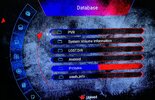
Menu - Media - database - sda1 - RED to upload.
A database.db file should be created in this location.
darrenhgv1
Newbie
When I go into database I get
System volume information
LOST.DIR
Android
crash_log
System volume information
LOST.DIR
Android
crash_log

Took 3 hrs in my case, other users almost instantly.Sorry just seen info after thew days update to 1.53 👍
smithysmudge
Member
Sounds like a corrupt USB device try another USB formatted to FAT32When I go into database I get
System volume information
LOST.DIR
Android
crash_log
Just read your message again if you’re at this screen press red button on remote to upload
Attachments
Last edited:
darrenhgv1
Newbie
Will take it out clear it and re format and try again
darrenhgv1
Newbie
I've re format the usb put it back in gone to media database sd1 and it says
System volume information
LOST.DIR
System volume information
LOST.DIR
darrenhgv1
Newbie
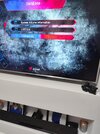
Thanks for your help I've pressed the upload and I now have this do I need to do anything else.Sounds like a corrupt USB device try another USB formatted to FAT32
Just read your message again if you’re at this screen press red button on remote to upload
Attachments
smithysmudge
Member
That’s you got the channel list saved, now you can take a note of your USALS settings then you can update your firmware.
Once firmware has updated you can navigate back to the database.db file you just created and press okay button on the remote when it’s highlighted then YES to update.
Finally check your USALS settings and confirm they are correct and that should be you done.
Once firmware has updated you can navigate back to the database.db file you just created and press okay button on the remote when it’s highlighted then YES to update.
Finally check your USALS settings and confirm they are correct and that should be you done.
darrenhgv1
Newbie
Thanks for all your help
I gather the box must be left on yes 👍 (not in standbye ?)Took 3 hrs in my case, other users almost instantly.
I left on a encrypted channelI gather the box must be left on yes 👍 (not in standbye ?)
Many thanks 👍I left on a encrypted channel

kegnkiwi
TK Veteran
PT1.26 is the software name. 153 is the server version that will be needed going forward.Sorry for being thick could someone clarify but just done update said update successful , but in menu still saying PT 1.26 ? The update to 1.53 everyone discussing will be ota ?

mixin247
Member
I'm interested to know this too, searched the menus, can't find it.How to you check what server your on ?? I’ve updated …