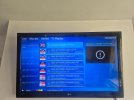
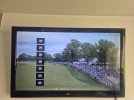
I have nanomid player and when i switch off vpn channels wont work but with vpn on they work but the little boxes are left on screen also. Anyone any idea hoe to get rid of them?
I have nanomid player and when i switch off vpn channels wont work but with vpn on they work but the little boxes are left on screen also. Anyone any idea hoe to get rid of them?
Yes tried that. Even deleted cache and then data before uninstalling and when installed again it still remembered all my details and still same problem. Even removed m3u before removing it and it installed it again aswell.
Could try this for lg tv
Use Memory Optimizer
This built-in feature clears system memory, closes background processes, and clears caches.
Press the Settings (gear) button on your remote.
Go to All Settings > Support > Device Care (or OLED Care / Memory Optimizer).
Select Memory Optimizer and hit Start.
This site uses cookies to help personalise content, tailor your experience and to keep you logged in if you register.
By continuing to use this site, you are consenting to our use of cookies.