Windows 10 Longer loading and shutting down issues.

cactikid

VIP Member
My office pc has gotten a bit slower in booting up and asking for my password but also when closing down and get messages that this app or another app is causing it not to shutdown and after 30 secs it shuts off/
Am i right in thinking some of these might need an update as only using Opera Browser and have to go into microsoft to see if updates are available.

 
Have you installed or updated anything recently on the PC mate?
Have you got up to date AV on it as well?
You could have a look in event viewer as that may give you an indication of what is making it hang on shut down.
Could be the profile you are using to login. If you login with another account but make sure you are not logged in with the one you normally use, does it shut down any faster?
 
Have you installed or updated anything recently on the PC mate?
Have you got up to date AV on it as well?
You could have a look in event viewer as that may give you an indication of what is making it hang on shut down.
Could be the profile you are using to login. If you login with another account but make sure you are not logged in with the one you normally use, does it shut down any faster?
I dont use Av on it and maybe once a month i get an update to install but not sure if its a PC update as i normally see an Opera update seen on my side bar and pc will close window and reopen it after 15 secs.
Other update must be pc when it reboots and starts down loading then shuts down , Starting back up again it installs to finish then ready to go .

This pc does not get a daily workout and might get used twice at night in a week.

I do know it struggles to play a YouTube video to play and have to stop the video to let me load the comments.

Using W10 system protection and malwarebytes free and an add blocker that i need to check out again with previous issues

MINIX NEO N42C-4 Plus Mini PC Windows 10 Pro (64-bit), Intel Pentium Apollo Lake mini Computer [4GB/64GB/Upgrade Storage/4K @ 60Hz/Triple Display/USB-C/Dual-Band Wi-Fi/Gigabit Ethernet/BT 4.1]. : Amazon.co.uk: Computers & Accessories.

Bought a little over 5 years
 
I dont use Av on it and maybe once a month i get an update to install but not sure if its a PC update as i normally see an Opera update seen on my side bar and pc will close window and reopen it after 15 secs.
Other update must be pc when it reboots and starts down loading then shuts down , Starting back up again it installs to finish then ready to go .

This pc does not get a daily workout and might get used twice at night in a week.

I do know it struggles to play a YouTube video to play and have to stop the video to let me load the comments.

Using W10 system protection and malwarebytes free and an add blocker that i need to check out again with previous issues

MINIX NEO N42C-4 Plus Mini PC Windows 10 Pro (64-bit), Intel Pentium Apollo Lake mini Computer [4GB/64GB/Upgrade Storage/4K @ 60Hz/Triple Display/USB-C/Dual-Band Wi-Fi/Gigabit Ethernet/BT 4.1]. : Amazon.co.uk: Computers & Accessories.

Bought a little over 5 years
if its windows update you will see that in windows update not opera also windows10 is EOL updates for 10 have stopped unless you pay for ESU to extend it.
not sure if you would still get security updates for windows security.
Or you can use MAS

as for add blocker is that an actuall program you installed or just adblock plus or unblock origin

you should also check whats running in startup you can check that in task manager.

if you get this sorted why don;t you get some type of imaging software i personally use acronis and can always recover to good working system you could try system restore but it is not very reliable.

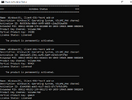
Capture.PNG
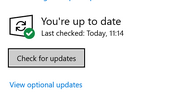
Capture1.PNG
 
1767880258314.png


I would of thought with them specs you would struggle to do most things. especially the storage. I wonder if there is a way to add a usb stick to it and expand the system storage.
 
@pieeater2015 , off subject but I hope some windows 10 users read my part about MAS script and they can still qualify for windows 10 updates without paying for ESU.

ESU is a paid program that provides individuals and organizations of all sizes with the option to extend the use of Windows 10 devices past the end of support ... :)

Capture.PNG
 
I had the option to extend on the update page

View attachment 130541
yes I think there was some ways you could extend via certain procedure but for how long do you know ?

just found this,
To enroll in Windows 10 Extended Security Updates (ESU),
go to Settings > Update & Security > Windows Update, click "Enroll now" on the prompt (after ensuring your PC is fully updated), sign in with a Microsoft account, and choose your enrollment method (free via Windows Backup, Microsoft Rewards, or paid purchase) to activate extended security until October 2026

I don't use microsoft account :)
 
yes I think there was some ways you could extend via certain procedure but for how long do you know ?
End of October 2026 for me, I just need to upgrade my motherboard to get windows 11 but while everything works I have just put it off. The thing with a microsoft account once you login your copy of windows gets activated straight away without needing to put keys in.
 
End of October 2026 for me, I just need to upgrade my motherboard to get windows 11 but while everything works I have just put it off. The thing with a microsoft account once you login your copy of windows gets activated straight away without needing to put keys in.
what do you mean windows activation even without windows account once windows has been activated it's HWID hardware ID is stored on microsoft servers at one time you could not even change motherboard was like a points system only so many parts of hardware allowed to be changed.

Any the fact you do have microsoft account if i remember you can change device i.e transfer to new computer.
 
if its windows update you will see that in windows update not opera also windows10 is EOL updates for 10 have stopped unless you pay for ESU to extend it.
not sure if you would still get security updates for windows security.
Or you can use MAS

as for add blocker is that an actuall program you installed or just adblock plus or unblock origin

you should also check whats running in startup you can check that in task manager.

if you get this sorted why don;t you get some type of imaging software i personally use acronis and can always recover to good working system you could try system restore but it is not very reliable.

View attachment 130520
View attachment 130521
Up on pc its ublock origin i have installed
Yes pc is still getting windows updates as current and is also extended.
 
Last edited:
View attachment 130522

I would of thought with them specs you would struggle to do most things. especially the storage. I wonder if there is a way to add a usb stick to it and expand the system storage.
Yes as have a usb and a passport if needed and when buying it it could be upgraded to a higher spec but wont get W11 and nearly sure i was told it could. Not much stuff in this like downloads , few files and photos.

also got into the Microsoft store and updated a number of apps for the moment to see how things go.
 
Last edited:
I found a TOSHIBA passport and plugged it in and did a format but cant think of what to do next to help speed up pc or move files.
 
I found a TOSHIBA passport and plugged it in and did a format but cant think of what to do next to help speed up pc or move files.
external drive is only good for storing files you cannot actually expand windows storage for that you need to upgrade internal storage i,e. the m2 slot ssd
 
external drive is only good for storing files you cannot actually expand windows storage for that you need to upgrade internal storage i,e. the m2 slot ssd
Was thinking about it last night to upgrade the ram but is 64 overkill or 32gb be good , not into gaming but watch Youtube the odd time y
 
The M2 is solid state drive, when installed will give you more storage. Looks like this 512GB M.2 2280 NVMe SSD Solid State Drive, Wiped, Error Free | eBay UK

Myself would put one of them in then reinstall windows to that hdd but their is probably other ways to go about it too.
I think you may be able to get usb adaptor for the M2 card and he could image windows onto the M2 or as you say perhaps better to reinstall clean.
not sure how that pc works if it M2 does actually expand the storage memory or is just another like another drive.
 
Last edited:
Back
Top