Octagon sf8008 UHD 4K setup

singh92

Member
Hi, apologies all I’m sure this has been covered but I can’t for the life of me figure how to configure my sat tuner for diseqc 1.2 like I have on my viark.

Using openvix image and I genuinely am stumped as to how I have the tuner setup so that I can just select between the satellite and then manually configure it.

Thank you and merry Xmas!
 
For some strange usals doesn’t seem to work for me. I tried on the viark and it just didn’t work.

Happy to try again. My lat is 51.6 and Lon is -0.31 on dish pointer in Stanmore area. What/where should I enter this on the box?
 
Having the same issue I did with my virak. I’m entering those details and it going the wrong way. When I go to 19.2e it goes west
 
Yep settings exactly as you say and it just goes the opposite way. When I try for arguments sake to do south and east and it still does same thing haha
 
Yep settings exactly as you say and it just goes the opposite way. When I try for arguments sake to do south and east and it still does same thing haha
Very strange, something is not right.

Is this a recent image and what image are you using !
 
Old issue
Here
Its the motor, TM2300.
Need to move it to zero then physically reset the motor via the pin hole on the motor and hope😂
I did try this but don’t think it helped. On the viark I use Diseqc

Not end of the worlld. Do you think I’ve I reset again and tried it would work with usals?
 
I did try this but don’t think it helped. On the viark I use Diseqc

Not end of the worlld. Do you think I’ve I reset again and tried it would work with usals?
Make sure the light flashes when resetting.

HARDWARE RESET

1. Make sure the power from the receiver is turned on. The indicating LED lights on.

2. Drive the motor to 0° via the manual button.

3. Probe the RESET button behind the bottom of the motor via a thin rod/Pin/etc for 2 seconds. The LED blinks in Orange Color. The reset process is OK while the LED is green. And the preset Satellite Table will be re-installed and the current position will be 0. Please cut off the power for the motor first before any operation.
 
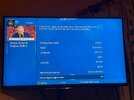
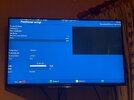
This is where a pic of the usals settings on the box would be very useful. Just for info this is what your tuner should look like. and green to save. You can drive motor to 0 in the image. Go menu setup tuner setup positioner, arrow down and make it west, OR EAST depends where you think dish is at present, then press Green button. Once at zero select a channel at 0.08west. use Al JAZEERA and you should get over 90%, if its less that 90 then you can go back to positioner and twek usalks either west or east, in fine steps, that will give a guide if you are out.

Can I take it you can reach dish easily but not now:laughing:
 

Attachments

  • IMG_9483.jpeg
    IMG_9483.jpeg
    315.4 KB · Views: 100
  • IMG_9485.jpeg
    IMG_9485.jpeg
    302.1 KB · Views: 92
Back
Top