You are using an out of date browser. It may not display this or other websites correctly.
You should upgrade or use an alternative browser.
You should upgrade or use an alternative browser.
WilloBuild WilloBuild OpenViX 6.9 Series
- Thread starter Willo3092
- Start date

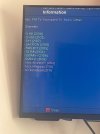
If the manhattan has been setup correctly then it should update automatically. Now when you said gigabyte I read it as Gigablue and that manhattan comes in 2 versions, freeview and freesat. If is defenitely a freesat box and ch5 is not working then you can do a freesat scan and that should bring it back.
Just for info and as I am doing nothing, same has happened to great movies etc just change as above and re scan.
Just for info and as I am doing nothing, same has happened to great movies etc just change as above and re scan.
Last edited:
Abu Baniaz
TK Veteran
If you want to scan using scanning function in Enigma2, update the satellites.xml file before scanning. There is an "XML update" function in the tuners/scanning menuI found openvix 6.9 never gave me channel 5. So try and get back to 6.8.
Alternatively, if you use ABM or AB 28.2, they do not use the satellites.xml and will obtain the tuning details from the data on the satellite.

Billy315
Member
I have now scanned both Gigablue (both satellites) and now receive channel 5. I did check XML and may of used that although not knowing what it was used for. My other problem may have been the numbers on gigablues. I have changed 1 - 8 with sitting room and bedroom 9 - 16.If you want to scan using scanning function in Enigma2, update the satellites.xml file before scanning. There is an "XML update" function in the tuners/scanning menu
Alternatively, if you use ABM or AB 28.2, they do not use the satellites.xml and will obtain the tuning details from the data on the satellite.
Thanks Abu and bmitie
Hope we can have Manhattan now receiving channel 5?

jonstannes
Member
sf8008 vix 6.9, 6.8 ,willowbuild started to get an issue playing iptv getting around 10 sec delay before stream plays 2 different providers m3u links with BMX and Xstramity plugin ,rebooted everything done fresh image vix 6.8/6.9 and double checked everything ,provider apps on Tv ,phone,tablet, etc no issue,was all working fine untill few days ago and not changed any settings or done any updates,anyone any ideas ?
jonstannes
Member
ok thanks ,try factory reset and start from scratchNothing has changed in the build and my IPTV works fine.
jonstannes
Member
Already done that same issue with m3u links on my box ,go try hotspot off my phone to my box rule out any isp issues blocking etcJust put a basic ViX or ATV image on another partition and add your IPTV.
It will prove if there is a problem with the receiver end.
jonstannes
Member
Done hotspot test and everything works fine issue with my WiFi hub or provider BT , wish done this test first spent all week trying to sort issue out, thanks 👍If you get the same problem on a plain image, it's not a problem with the build.
It's either a network or provider problem. Try getting a test sub from the requests section.
perhaps old subject but with some isp's there are security setting you can turn off with BT it was BT smart setup don't know if that is still the sameDone hotspot test and everything works fine issue with my WiFi hub or provider BT , wish done this test first spent all week trying to sort issue out, thanks 👍
jonstannes
Member
Did factory reset on my BT hub and it's cleared all issues was having and streams now play instantlyperhaps old subject but with some isp's there are security setting you can turn off with BT it was **BT** https://www.bt.com/help/broadband/what-is-smart-setup-on-the-bt-hub--how-can-i-turn-it-on-and-off-