Inwent into plugins and pressed download. About 4 secs. Network is fine.No need to see a list of plugins like drivers, extensions, and so on I don’t know how u got thatill be home shortly
You are using an out of date browser. It may not display this or other websites correctly.
You should upgrade or use an alternative browser.
You should upgrade or use an alternative browser.
Satellite Z-gemma H7s slow to change channels
- Thread starter Anthony2021
- Start date
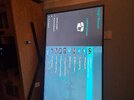
When you get to plugins this is what you should get , try menu plugin browser, then green button, and now see what you get and your pics are getting wonky, look at your pic 139 it shows green button thats what you press. I need to prove network is active.
Attachments
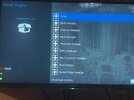
Yes this is exactly what I did. I pressed the green button and the image below is what pops up.When you get to plugins this is what you should get , try menu plugin browser, then green button, and now see what you get and your pics are getting wonky, look at your pic 139 it shows green button thats what you press. I need to prove network is active.
Attachments
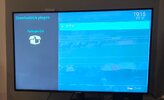
Now that means image is too old and flash on line is boloxed, You have to pause now and just use box as is try IPTV and sat channels and see if they are still lagging. report back in the meantime I shall reflect. Now that I know you have WINSCP the next step will be to try and install willouild but I think box is .......ckd.
Last edited:
Ok. So there no way to upgrade it through FTP.Now that means image is too old and flash on line is boloxed, You have to pause now and just use box as is try IPTV and sat channels and see if they are still lagging.
The IPTV app is old as well 🙈 like myself.

pabloescaban
VIP Member
You have a 1tb external hdd, containing 500gb of movies etc yes/no?Ok. So there no way to upgrade it through FTP.
The IPTV app is old as well 🙈 like myself.
Yet on that 'download plugins' screen above, you have 74mb of space free.
Your epg is constantly filling it up.
You are using internal flash for everything which means the box can't do anything as it has nowhere to store any temporary files.
74mb isn't big enough to unpack anything
If I can get you to read carefully and follow instructions exactly as laid out then you may recover the box. You have carzy ideas that make no sense so try and stop spouting them out. To load williobuild you use WINSCP and select Putty, you get to putty by looking up to left hand side and see 2 small terminals hover and it says putty. click on it and a screen opens and if you click on square window next to X it goes fullscreen, you now have to login to box, so its root and password but before you do that you have to cut and paste the willbuild telnet instruction.
It looks like this
wget --no-check-certificate -O install_vix.sh http://www.willobuild.net/files/scripts/install_vix.sh && bash install_vix.sh but you need to be in willobuild to see exact instructions.
can you cut and paste.


WILLOBUILD IS A CUSTOM OPENVIX BUILD
WILLOBUILD IS FLASHED DIRECTLY VIA PUTTY.
THERE IS NO NEED FOR USB FLASHING.
IT WILL ALWAYS FLASH THE LATEST IMAGE AND UPDATES CAN BE DONE VIA SOFTWARE UPDATE.
THIS SHOULD WORK ON ANY OPENVIX SUPPORTED RECEIVER.
IF YOU WOULD LIKE TO HELP ME WITH SERVER HOSTING COSTS 
TO INSTALL COPY THIS CODE AND RIGHT CLICK IN PUTTY TO PASTE AND THEN PRESS ENTER.
This may be your life saver but you have to concentrate hard
It looks like this
wget --no-check-certificate -O install_vix.sh http://www.willobuild.net/files/scripts/install_vix.sh && bash install_vix.sh but you need to be in willobuild to see exact instructions.
can you cut and paste.
WilloBuild Thread 'WilloBuild OpenViX 6.9 Series'
WILLOBUILD IS A CUSTOM OPENVIX BUILD
WILLOBUILD IS FLASHED DIRECTLY VIA PUTTY.
THERE IS NO NEED FOR USB FLASHING.
IT WILL ALWAYS FLASH THE LATEST IMAGE AND UPDATES CAN BE DONE VIA SOFTWARE UPDATE.
THIS SHOULD WORK ON ANY OPENVIX SUPPORTED RECEIVER.
IF YOU WOULD LIKE TO HELP ME WITH SERVER HOSTING COSTS
TO INSTALL COPY THIS CODE AND RIGHT CLICK IN PUTTY TO PASTE AND THEN PRESS ENTER.
Code:
wget --no-check-certificate -O install_vix.sh...


This may be your life saver but you have to concentrate hard
Last edited:
Ill have a look at it and see. Might be out of my league.If I can get you to read carefully and follow instructions exactly as laid out then you may recover the box. You have carzy ideas that make no sense so try and stop spouting them out. To load williobuild you use WINSCP and select Putty, you get to putty by looking up to left hand side and see 2 small terminals hover and it says putty. click on it and a screen opens and if you click on square window next to X it goes fullscreen, you now have to login to box, so its root and password but before you do that you have to cut and paste the willbuild telnet instruction.
It looks like this
wget --no-check-certificate -O install_vix.sh http://www.willobuild.net/files/scripts/install_vix.sh && bash install_vix.sh but you need to be in willobuild to see exact instructions.
can you cut and paste.
WilloBuild Thread 'WilloBuild OpenViX 6.9 Series'
WILLOBUILD IS A CUSTOM OPENVIX BUILD
WILLOBUILD IS FLASHED DIRECTLY VIA PUTTY.
THERE IS NO NEED FOR USB FLASHING.
IT WILL ALWAYS FLASH THE LATEST IMAGE AND UPDATES CAN BE DONE VIA SOFTWARE UPDATE.
THIS SHOULD WORK ON ANY OPENVIX SUPPORTED RECEIVER.
IF YOU WOULD LIKE TO HELP ME WITH SERVER HOSTING COSTS
TO INSTALL COPY THIS CODE AND RIGHT CLICK IN PUTTY TO PASTE AND THEN PRESS ENTER.
Code:wget --no-check-certificate -O install_vix.sh...
This may be your life saver but you have to concentrate hard
Thanks for ur help.

moshibeth
VIP Member
Not sure if you are on python 2 or python 3 image but you should be able to load the IPK file via USB stick.Ill have a look at it and see. Might be out of my league.
Thanks for ur help.
You could delete the old plugin and add the newer version that way.
So i gotten to where im asked how many multi-partition i have, i enter 1 and its cant write.If I can get you to read carefully and follow instructions exactly as laid out then you may recover the box. You have carzy ideas that make no sense so try and stop spouting them out. To load williobuild you use WINSCP and select Putty, you get to putty by looking up to left hand side and see 2 small terminals hover and it says putty. click on it and a screen opens and if you click on square window next to X it goes fullscreen, you now have to login to box, so its root and password but before you do that you have to cut and paste the willbuild telnet instruction.
It looks like this
wget --no-check-certificate -O install_vix.sh http://www.willobuild.net/files/scripts/install_vix.sh && bash install_vix.sh but you need to be in willobuild to see exact instructions.
can you cut and paste.
WilloBuild Thread 'WilloBuild OpenViX 6.9 Series'
WILLOBUILD IS A CUSTOM OPENVIX BUILD
WILLOBUILD IS FLASHED DIRECTLY VIA PUTTY.
THERE IS NO NEED FOR USB FLASHING.
IT WILL ALWAYS FLASH THE LATEST IMAGE AND UPDATES CAN BE DONE VIA SOFTWARE UPDATE.
THIS SHOULD WORK ON ANY OPENVIX SUPPORTED RECEIVER.
IF YOU WOULD LIKE TO HELP ME WITH SERVER HOSTING COSTS
TO INSTALL COPY THIS CODE AND RIGHT CLICK IN PUTTY TO PASTE AND THEN PRESS ENTER.
Code:wget --no-check-certificate -O install_vix.sh...
This may be your life saver but you have to concentrate hard
moshibeth
VIP Member
Have you mounted a usb in the box as it says to do on his guideSo i gotten to where im asked how many multi-partition i have, i enter 1 and its cant write.
View attachment 131391
View attachment 131392
YOUR BOX MUST HAVE A WIRED NETWORK CONNECTION AND YOUR STORAGE DRIVE SHOULDBE PLUGGED IN AND MOUNTED AS:/media/hdd (PREFERABLY FORMATTED AS EXT4).
It will not flash otherwise
Mounting a USB on purE2 (Enigma2) is best achieved via the Blue Panel or Setup menu for automatic detection, or manually via SSH using <span>mount /dev/sdb1 /media/hdd</span> (adjusting <span>/dev/sdb1</span> based on <span>fdisk -l</span> results). It is recommended to use EXT4 or FAT32 formats for compatibility, with common mount points being <span>/media/usb</span> or <span>/media/hdd</span>.
Last edited:
pabloescaban
VIP Member
118mb for the zip it's trying to download.So i gotten to where im asked how many multi-partition i have, i enter 1 and its cant write.
View attachment 131391
View attachment 131392
No space to save it
Abort

rapidwrinkly
TK Veteran
I have been following this from the beginning can someone not connect to his computer/box to do it for him, obviously his head is gone from all the advice.i
He has to learn sometime but some are posting on top of mine I’m giving him a step by step. All that’s left is select an empty partition and if that gives an error then that’s it.
Eg he does not need a usb he has an internal hdd willo is getting the user to check their setup, it can be skipped
I’ll drop out he can have a rest
Eg he does not need a usb he has an internal hdd willo is getting the user to check their setup, it can be skipped
I’ll drop out he can have a rest
Last edited:
pabloescaban
VIP Member
He does have an internal hdd.
The box uses it for recordings and nothing else.
The epg and everything else goes on internal flash.
If he gets vix running it won't work properly until storage is sorted.
This has been explained numerous times but ignored by those who should know better.
74mb of space isn't enough to download a 118mb vix zip file because 118 is a bigger number than 74.
If it could access the 1TB drive there wouldn't be all these errors
The box uses it for recordings and nothing else.
The epg and everything else goes on internal flash.
If he gets vix running it won't work properly until storage is sorted.
This has been explained numerous times but ignored by those who should know better.
74mb of space isn't enough to download a 118mb vix zip file because 118 is a bigger number than 74.
If it could access the 1TB drive there wouldn't be all these errors
Abu Baniaz
TK Veteran
Can you please issue this command in putty/terminal and post back the results
df -Th
df -Th
Instead of the long link paste that in that same location on puttyCan you please issue this command in putty/terminal and post back the results
df -Th
Abu Baniaz
TK Veteran
It is just going to show us your storage devices, what they are mounted as and how much space they have.Instead of the long link paste that in that same location on putty
Code:
df -Th