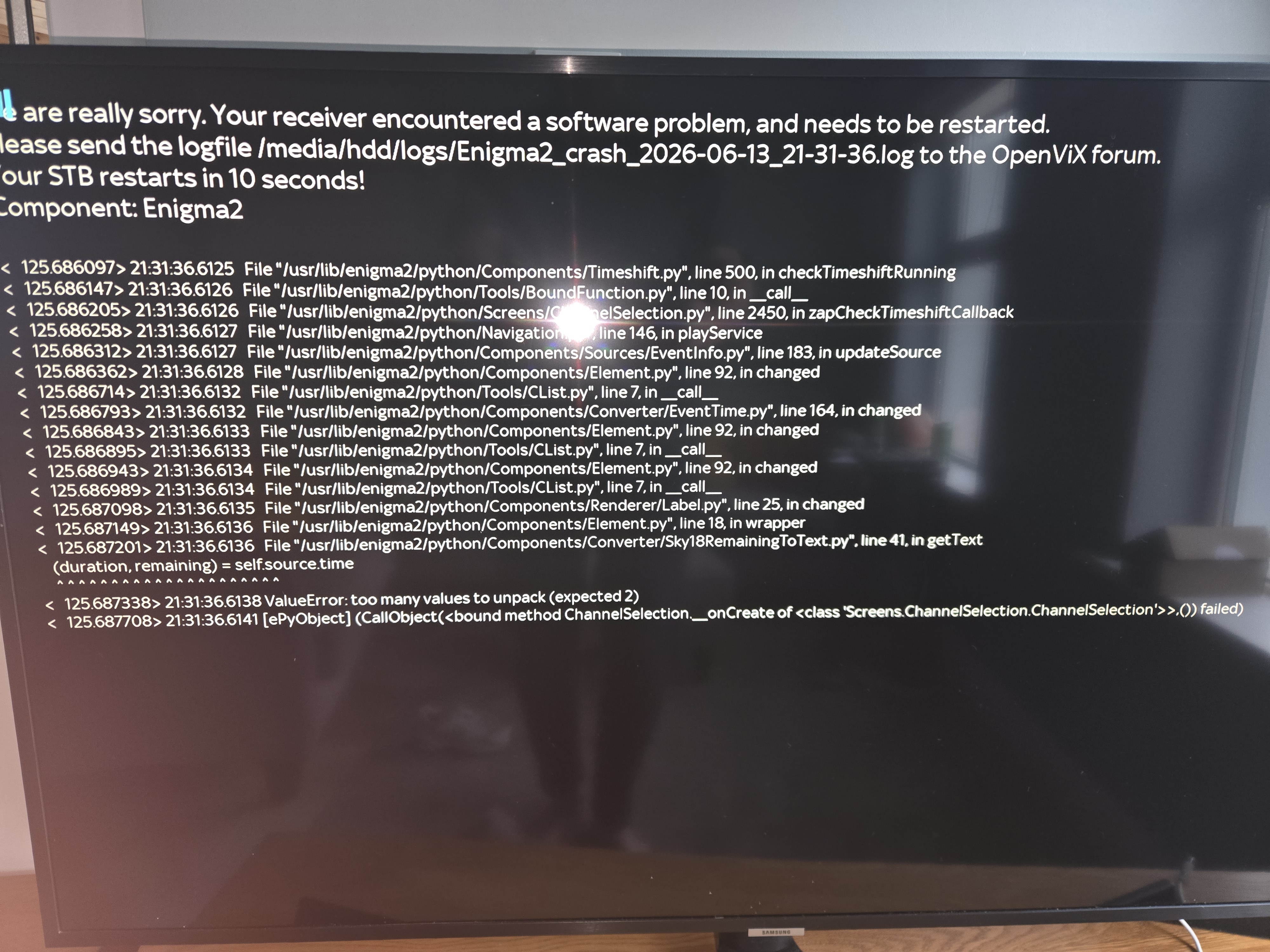
A Anthony2021 Newbie Yesterday at 9:43 PM #1 Hi guys. My zgemma h7bis stuck on this for the last half hour. How do i.sort it. Thanks in advance. Openvix wildbuild 6.8
Hi guys. My zgemma h7bis stuck on this for the last half hour. How do i.sort it. Thanks in advance. Openvix wildbuild 6.8
pabloescaban VIP Member Yesterday at 9:58 PM #2 Take the batteries out of the remote. Unplug the receiver and power it back on. Then put the batteries in the remote and see if it does it again, there could be a button stuck in on the handset
Take the batteries out of the remote. Unplug the receiver and power it back on. Then put the batteries in the remote and see if it does it again, there could be a button stuck in on the handset
A Anthony2021 Newbie Thread starter Yesterday at 10:04 PM #3 pabloescaban said: Take the batteries out of the remote. Unplug the receiver and power it back on. Then put the batteries in the remote and see if it does it again, there could be a button stuck in on the handset Click to expand... Unfortunately that didn't work
pabloescaban said: Take the batteries out of the remote. Unplug the receiver and power it back on. Then put the batteries in the remote and see if it does it again, there could be a button stuck in on the handset Click to expand... Unfortunately that didn't work
pabloescaban VIP Member Yesterday at 11:00 PM #4 The timeshift error shenanigans looks like a recording error, go into recordings settings and make sure nothing is set to record, reboot and try again
The timeshift error shenanigans looks like a recording error, go into recordings settings and make sure nothing is set to record, reboot and try again
A Anthony2021 Newbie Thread starter Yesterday at 11:03 PM #5 pabloescaban said: The timeshift error shenanigans looks like a recording error, go into recordings settings and make sure nothing is set to record, reboot and try again Click to expand... How do i access the setting. Its just going around circles and finishes with that message. Won't allow.me.access.the menu Last edited: Yesterday at 11:27 PM
pabloescaban said: The timeshift error shenanigans looks like a recording error, go into recordings settings and make sure nothing is set to record, reboot and try again Click to expand... How do i access the setting. Its just going around circles and finishes with that message. Won't allow.me.access.the menu
moshibeth VIP Member Today at 12:12 AM #7 Anthony2021 said: How do i access the setting. Its just going around circles and finishes with that message. Won't allow.me.access.the menu Click to expand... Reflash it mate it's much less hassle then you should be good for another couple of years.
Anthony2021 said: How do i access the setting. Its just going around circles and finishes with that message. Won't allow.me.access.the menu Click to expand... Reflash it mate it's much less hassle then you should be good for another couple of years.
pabloescaban VIP Member Today at 12:25 AM #8 If you can access it by webif, using the box ip address via lappy or phone, click terminal and type in init 4 enigma2 Click enter, then reboot the box, this should stop the boot loop you've been seeing
If you can access it by webif, using the box ip address via lappy or phone, click terminal and type in init 4 enigma2 Click enter, then reboot the box, this should stop the boot loop you've been seeing