Satellite Z-gemma H7s slow to change channels

Ooops my post may be misunderstood NB the image must be stay ZIPPED when copied to the USB or when downloaded to the USB, that's important as Pure2 wont see it.

I would stay away from pure2 for now you can always add it later BUT when you use recovery all the partitions are wiped and then partition 1 is flashed with the recovery image you used and you configure as normal. Then you have access to Vix image manager.

I was watching the footie when posting and Bournemouth scored so was distracted!!
Thanks. Hope your team won.

Thats another problem. The recovery menu is not coming up when I hold the front button. Boot comes up then it goes like normal.

Also im i using the correct folder. Should it be the recovery one in the image on page 2.
 
Last edited:
When you use the recovery file you wont see a recovery menu it will just flash as normal, can you say if you are using pure2 revovery file or Vix
 
Thanks. Hope your team won.

Thats another problem. The recovery menu is not coming up when I hold the front button. Boot comes up then it goes like normal.

Also im i using the correct folder. Should it be the recovery one in the image on page 2.
You need to format the usb FAT32 each time you try it, but I've a feeling the box isn't seeing the usb.
Do you still have a bootable image that loads up?
If so, put the formatted usb in the box, navigate to storage devices and see if you can initialise it via the menus.
If it successfully initialises, power it off then put your chosen image on the stick and back into the box, then try flashing it that way
 
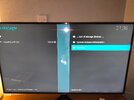
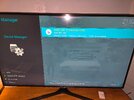
Something I noticed today. When I go in through menu/file manager I can see the usb and the firmware. For some reason its not updating.
 
You need to format the usb FAT32 each time you try it, but I've a feeling the box isn't seeing the usb.
Do you still have a bootable image that loads up?
If so, put the formatted usb in the box, navigate to storage devices and see if you can initialise it via the menus.
If it successfully initialises, power it off then put your chosen image on the stick and back into the box, then try flashing it that way
I do format each time.
 
Something I noticed today. When I go in through menu/file manager I can see the usb and the firmware. For some reason its not updating.
Updating?
You are trying to flash it, when you put the image/usb into the box, you power it on with the round button at the back whilst holding the standby button in, dont release the standby button until it comes up on screen that flashing is underway
 

Attachments

  • 17692907007445711098625261281.jpg
    17692907007445711098625261281.jpg
    1.2 MB · Views: 68
Not showing up there
Right, well like i said earlier, the box doesn't recognise the usb, so it's impossible to flash an image with it, regardless of what you put on it.
If you have any other usb sticks, try them in the box until one appears in that list.
You may be better getting a 16gb Sandisk for a few quid from Asda or Tesco. These work every time
 
Right, well like i said earlier, the box doesn't recognise the usb, so it's impossible to flash an image with it, regardless of what you put on it.
If you have any other usb sticks, try them in the box until one appears in that list.
You may be better getting a 16gb Sandisk for a few quid from Asda or Tesco. These work every time
Fair enough. How come the file manager sees it but the storage device doesn't. Confusing.

Also which file should I use, recovery zipped or 7.6 pure2 zipped.

Thanks for your help.
 
You are getting rubbish instructions so be careful. I have to keep reading back to see where you have got. When you put the recovery image on the usb and then power the box on at rear while holding the power button at the front you keep it pressed until FLSH appears on the box and you should be able to see usb at rear to look for flashing light that indicates box is reading it, it’s a big file so keep button pressed. If after a few minutes it does not show flsh it will revert to boot and you should let it cycle through. Then try again using different usb slot and if that fails you need a cruzer make usb. When you tried flash onl the fly did you have the unzipped image on the usb and this one will be the multi zip. You could also try bouquetmaker for your iptv and if that works then your ok.

I hope this is clear.
 
Last edited:
You are getting rubbish instructions so be careful. I have to keep reading back to see where you have got. When you put the recovery image on the usb and then power the box on at rear while holding the power button at the front you keep it pressed until FLSH appears on the box and you should be able to see usb at rear to look for flashing light that indicates box is reading it, it’s a big file so keep button pressed. If after a few minutes it does not show flsh it will revert to boot and you should let it cycle through. Then try again using different usb slot and if that fails you need a crusher make usb. When you tried flash onl the fly did you have the unzipped image on the usb and this one will be the multi zip. You could also try bouquetmaker for your iptv and if that works then your ok.

I hope this is clear.
Thanks I have to get a new usb the one I have is not working. When I hold the botton nothing happens. It just boots up as normal. Can't see any usb.
 
Curious when i usb flashed boxes years ago i downloaded zip file to pc and then extracted it to usb to flash boxes.

Is one suppose to see a file in a particular in a specified format to flash it.

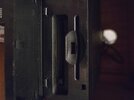
Is there not another usb under the flap to use and inserted when powered off.

Many years these boxes are fussy with makes and size of usb in use
 
Well smack my ass and call me rosey your right. Never spotted the second usb.

It's smaller then the normal USB. I really do have a dodgy box ??
 

Attachments

  • 17692940761585980003938791276594.jpg
    17692940761585980003938791276594.jpg
    1.4 MB · Views: 67
Fair enough. How come the file manager sees it but the storage device doesn't. Confusing.

Also which file should I use, recovery zipped or 7.6 pure2 zipped.

Thanks for your help.
How to Flash a Zgemma H7 by USB

https://www.openvix.co.uk/openvix-builds/Guides and Tutorials/Flashing Guides/Zgemma USB Flashing Guides/How to flash a Zgemma H7 by USB.pdf

You could try a low level format with HDD Guru then fat 32 on those USB sticks

HDDGURU: Laptop and Desktop Hard Disk Drives, Tests ...


Install hddguru on your laptop.

Insert the USB into the laptop and see if guru picks it up.

If it does click on and highlight it in guru

Select low level format option

Then Format this device
IMG_20260124_223759_HDR.jpg
IMG_20260124_223814_HDR.jpg
IMG_20260124_223817_HDR.jpg
 
Well smack my ass and call me rosey your right. Never spotted the second usb.

It's smaller then the normal USB. I really do have a dodgy box ??
The fact that you didn't know this was here doesn't fill me with confidence that you have been doing it correctly, this is where the standby button is that you are supposed to keep a finger on during flashing, you haven't been trying the remote standby button?
 
The fact that you didn't know this was here doesn't fill me with confidence that you have been doing it correctly, this is where the standby button is that you are supposed to keep a finger on during flashing, you haven't been trying the remote

I know there was one on the back and used that one. The button on the face, behind the flap is what I pressed.

It's obvious the USB is not compatible. Ill get my hands on a new one and start again.
 
Back
Top