Gigablue & motor issues

Yes, please start afresh. Do not restore settings after receiver reboots to be on the safe side. Don't worry about installing cams or anything else. Just set tuner and install a motorised channel list. See if the dish moves.

Please always ensure receiver is in deep standby when connecting cables. I used to ignore this advice until it blew the hdmi chip on my receiver.
 
Yes, please start afresh. Do not restore settings after receiver reboots to be on the safe side. Don't worry about installing cams or anything else. Just set tuner and install a motorised channel list. See if the dish moves.

Please always ensure receiver is in deep standby when connecting cables. I used to ignore this advice until it blew the hdmi chip on my receiver.

Ok - thank you for the advice... much appreciated.

I'll do some reading now on how to flash to the latest version of OpenViX i'll get that done as the next priority. I don't mind overriding the current version to start fresh so if it removes everything as it flashes thats totally cool
 
I wish you would go a bit slow!! I'm watching Chel V Ars but to flash the correct method is now called couch flashing, you go menu setup vix image manager, yellow, openvix select 6.8.001 and follow prompts. then when back go to plugins download from settings and look for file I posted above, load that and you will be good for 75e-34w.
 

Attachments

  • IMG_9318.jpeg
    IMG_9318.jpeg
    210.9 KB · Views: 75
Nothing really. It's valid. In your screenshot, you are selecting advanced in order to select a simple configuration. More than one way to skin a cat.

Another option is "USALS selecting satellites". It allows you to select which satellites to make available.
 
Nothing really. It's valid. In your screenshot, you are selecting advanced in order to select a simple configuration. More than one way to skin a cat.

Another option is "USALS selecting satellites". It allows you to select which satellites to make available.

Is the above config still different to what I posted i.e. isthe config I posted erroneous (as the above looks slightly similar)
 
I have just looked at your video, you are using different LNB numbers. You only have 1 LNB so it should be 1 for all of them.

You can do it in advanced mode if you want, but you then have to select it for every satellite. Correctly. Unless you do it like Pieeater.

Surely easy and simple is first approach to use for most things in life? Its less error prone. (You even made an error on just copying and pasting a command 🫣)
 
I have just looked at your video, you are using different LNB numbers. You only have 1 LNB so it should be 1 for all of them.

You can do it in advanced mode if you want, but you then have to select it for every satellite. Correctly. Unless you do it like Pieeater.

Surely easy and simple is first approach to use for most things in life? Its less error prone. (You even made an error on just copying and pasting a command 🫣)

All good - I was just checking that my config was still the issue


And manic stop laughing!
 
I was keeping it nice and simple ie the KISS principle as I can gather user is no expert. Now that he is sorted I can reflect on the PIC by

pieeater2015 and wonder HTFck can you use USALS with a setting of 000 for longitude and 000 for latitude!!!​

 
I wish you would go a bit slow!! I'm watching Chel V Ars but to flash the correct method is now called couch flashing, you go menu setup vix image manager, yellow, openvix select 6.8.001 and follow prompts. then when back go to plugins download from settings and look for file I posted above, load that and you will be good for 75e-34w.

Just as a safety precaution ~ I've downloaded and started to install the latest version of VIX.


On reboot it's asking if I want to restore my Engima2 settings (plugins etc.)

Yes, to restore, or no do not restore?

(The only thing of note I have on the box is an Oscam IPK that was working)
 
Well he does say " I have always used these settings no matter what image?""" no mention of omitting usals for security.
 
Ok. A short progress post before bed - very much appreciate everyone's help thus far. New VIX image installed (latest).

Current setup of "TunerB"

tuner B settings.jpg


New channel list installed via Plugin as per above instructions

channel list.jpg


Notes:
The Viark had the dish locked on 16.e as I was using it earlier successfully
It didn't appear that the dish moved when I tried to lock into a sat e.g. 28.2e on BBC.


It's obviously dark outside now; I just took a peak and it does indeed look like the dish has moved from 16.e to another location not sure where). Tried to clear FTA channels on 28.2e and it's not clearing anything.

New Image installed = success
Reset tuner settings in "Tuner B" as above - removing old settings

I need to figure out where the dish is currently pointing and attempt to get it successfully moved onto a sat.
Oscam install needs to be next ideally once I've got the dish moving freely.
 
Well, we know your dish is moving, so that is good news. Was your motor moving correctly with your Viark? I.e when you send it to 16e, it was actually on 16e? i.e you didnt have to fudge it. I thought you had uploaded a picture of your viark setup, I cant find it. Can you please re-upload the picture.


Install the oscam and oscam-emu from the plugin server for now.
 
Well, we know your dish is moving, so that is good news. Was your motor moving correctly with your Viark? I.e when you send it to 16e, it was actually on 16e? i.e you didnt have to fudge it. I thought you had uploaded a picture of your viark setup, I cant find it. Can you please re-upload the picture.


Install the oscam and oscam-emu from the plugin server for now.

The dish/motor isn't moving across each satellite on the new installed channel list as per above.

Some additional context

I used this e2 box for approx 14 months before purchasing a Viark. It moved freely across the Arc with no issues.
I did have issues with the Viark moving the dish across sat's. It often would get stuck on a sat. Only way to move it would be do a blind scan on a new sat via USALS and it would move.

Yesterday - the Viark had the dish on true 16.e. I scanned 16.e and was clearing channels and locked in most of the day.

Current situation

1. New OpenVix flash = done
2. New settings based on simple configuration mode / positioner done
3. Channel list installed = done

The dish was on 16e and moved slightly central yesterday i.e. the dish moved. I have no idea where it is, but it's clearly catching some 16.e transponders see below

No sat moves the dish via the channel list. I have done a blind scan on 16e just now and it's found 94 channels (42% complete). The dish is not pointing 16.e but it is finding some channels on some transponders on 16e. So it appears to be somewhere between 28.2e and 16e

I will send a photo of my viark setup once I disconnect the e2.

Re: Oscam, I tried to install a plugin yesterday night, and it had an error when trying to install the plugin - said something along the lines of /var/etc config files not setup (I'll try another Oscam version via the plugin menu) - I did have Oscam working over the weekend before the dish stopped moving.
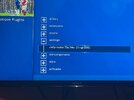
 
would you believe it I still dont know the skin you are using!!! and its important. I think you are on Vix 6.8 and I was doing a step by step but you keep jumping. The whole object of the exercise is to get dish tracing the arc.

I would get dish moving before OSCAM stuff. And you may need to get installer back. To reset the motor correctly you have to climb a ladder and use a small pin hole like paperclip. You should use the simple 1080 skin.

And I keep meaning to ask is that a dual lnb? I would use the giga to move dish and have spare cable going to Viark ie not use Viark.

And rig may have moved ie dish not straight.
 
would you believe it I still dont know the skin you are using!!! and its important. I think you are on Vix 6.8 and I was doing a step by step but you keep jumping. The whole object of the exercise is to get dish tracing the arc.

I would get dish moving before OSCAM stuff. And you may need to get installer back. To reset the motor correctly you have to climb a ladder and use a small pin hole like paperclip. You should use the simple 1080 skin.

And I keep meaning to ask is that a dual lnb? I would use the giga to move dish and have spare cable going to Viark ie not use Viark.

And rig may have moved ie dish not straight.

I have not changed the skin. It's the standard skin that comes with 6.8. Simple_Ten_Eighty (1920x1080).

I'm not 100% sure what LNB I have - here's a photo of my LNB - looks dual?


f0bf9960-bb86-442e-b670-c516ee2d5a6b.jpeg


Skin / box info below:


skin.jpg
 
Last edited:
Back
Top