You are using an out of date browser. It may not display this or other websites correctly.
You should upgrade or use an alternative browser.
You should upgrade or use an alternative browser.
Gigablue & motor issues
- Thread starter icz999
- Start date

Your not adding the sats your turning them on for usuals to use under antenna configurationDo you know where I can get reliable info to add the sat's in manually e.g. for 42.e (Turksat)
Satelitte Angle
Satelitte Direction
Band
Top Option Satellite use <> to scroll to desired sat then scroll down and turn usuals on.
Last edited:
Your not adding the sats your turning them on for usuals to use under antenna configuration
Top Option Satellite use <> to scroll to desired sat then scroll down and turn usuals on.
All good - here's the update
1. I was freely moving the dish across various sats under antenna configuration.
2. The dish then stopped moving i.e. it wouldn't move under antenna configuration ("stuck")
3. I turned off box, removed the cable. Let it rest for 1-2 mins, booted back up entered the cable and now am freely moving across the arc under antenna configuration i.e. 0.5w, 16e, 28.2e, 42e etc.
It is odd though that it stopped working - and I had to reboot, could this be a cable issue from the LNB into the box?
Reminder - I couldn't get the box moving on the e2 by selecting sats from the channel list.
Note: just for clarity the e2 box is not moving the dish across any sat's in the menu below (as I scroll through each satelitte) neither moving the dish when using the channel list and selecting a channel on a sat.
Last edited:
Now we know the motor works well erratically anyway, lets move back to the gigablue and E2.
For now i want you to disable TUNER A probably say nothing connected not sure on VIX.
So then Tuner B should be setup as
Simple
Positioner
Enter the correct coordinates understand that west is selected for - figures.
Save then reboot
Try other sat positions.
If that does not work
disable TUNER B and enable tuner A.
So then Tuner A should be setup as
Simple
Positioner
Enter the correct coordinates understand that west is selected for - figures.
Save then reboot
Try other sat positions.
Obviously the motor coax needs to be on the enabled Tuner
For now i want you to disable TUNER A probably say nothing connected not sure on VIX.
So then Tuner B should be setup as
Simple
Positioner
Enter the correct coordinates understand that west is selected for - figures.
Save then reboot
Try other sat positions.
If that does not work
disable TUNER B and enable tuner A.
So then Tuner A should be setup as
Simple
Positioner
Enter the correct coordinates understand that west is selected for - figures.
Save then reboot
Try other sat positions.
Obviously the motor coax needs to be on the enabled Tuner
Abu Baniaz
TK Veteran
For Enigma2, You were not meant to use the menu pictured to move the dish. You were just meant to select channels and see if the dish moves.
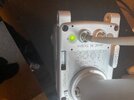
I had to go away for a bit and was hoping all this was sorted. I dug out a technomate 2300 and hooked it up and lo and behold when it goes to a sat the LED turns green so by looking at motor one can see if it is getting power,
But as OP has 2 cables to dish and motor and as noob may not realise only one cable goes to motor or as techomate like to say positioner. So if correct cable is plugged in to viark and a sat is selected then go outside and see if led is Green. I
Now with all the swopping of cables I would check to see if inner core is not broken or too short. Stick with Tuner B on the giga.
But as OP has 2 cables to dish and motor and as noob may not realise only one cable goes to motor or as techomate like to say positioner. So if correct cable is plugged in to viark and a sat is selected then go outside and see if led is Green. I
Now with all the swopping of cables I would check to see if inner core is not broken or too short. Stick with Tuner B on the giga.
Attachments
Last edited:
For Enigma2, You were not meant to use the menu pictured to move the dish. You were just meant to select channels and see if the dish moves.
That was my understanding - just to be clear, I followed instructions 0.8w 16.e - 28.2e etc. it didn't move the dish.
(I'll try again after the dish moved with the Viark to ensure it hasn't somehow made the dish moved under the Engima2).
I'll do that now - but I'm 90% sure I've never seen a green light on my motor.... it would be green and easy to spot at the night and I've never seen that flash!But are you on the correct cable, very important and I would plug back in to viark and check LED.

Did you even bother doing this ?Now we know the motor works well erratically anyway, lets move back to the gigablue and E2.
For now i want you to disable TUNER A probably say nothing connected not sure on VIX.
So then Tuner B should be setup as
Simple
Positioner
Enter the correct coordinates understand that west is selected for - figures.
Save then reboot
Try other sat positions.
If that does not work
disable TUNER B and enable tuner A.
So then Tuner A should be setup as
Simple
Positioner
Enter the correct coordinates understand that west is selected for - figures.
Save then reboot
Try other sat positions.
Obviously the motor coax needs to be on the enabled Tuner
Just had the Viark moving the dish so you would hope that he now knows which cable goes to the motor.It should be easy enough to work out which cable is going to the motor anyway as i think the dish is on the garage and the light should be visible when its connected to a receiver and receiver is turned on.
Going round and around this thread is.
Did you even bother doing this ?
Yes I did - I've been at work I'm typing up my notes with screenshots.

manic01
VIP Member
As you look at the motor. The static green led is on the right.I'll do that now - but I'm 90% sure I've never seen a green light on my motor.... it would be green and easy to spot at the night and I've never seen that flash!
Last edited:
@Ferret.
Tuner A Disabled:
Tuner B setup:
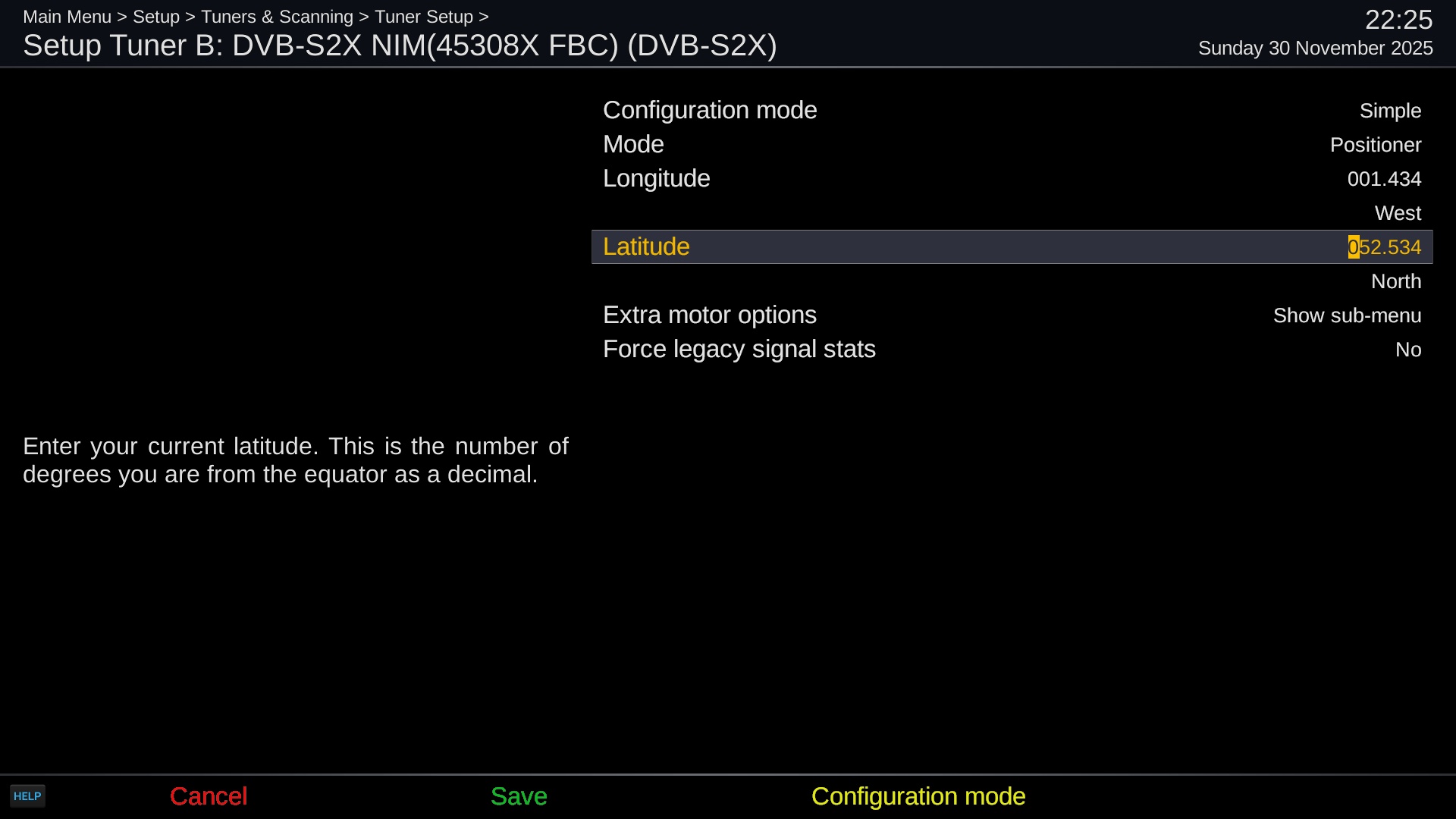
This setup I followed previously
Saved. Rebooted - this was a step I didn't do each time i.e. saved/rebooted
28.2e randomly has come up - box automatically moved to the sat - clearing BBC.
Went outside and GREEN light on motor
Selected 16.e -> appears to have moved dish. No channels clearing as haven't selected a FTA channel. GREEN light on motor...
Did you even bother doing this ?
Tuner A Disabled:
Tuner B setup:
This setup I followed previously
Saved. Rebooted - this was a step I didn't do each time i.e. saved/rebooted
28.2e randomly has come up - box automatically moved to the sat - clearing BBC.
Went outside and GREEN light on motor
Selected 16.e -> appears to have moved dish. No channels clearing as haven't selected a FTA channel. GREEN light on motor...
Attachments

Try some other sats from the channel list then@Ferret.
Tuner A Disabled:
Tuner B setup:
View attachment 128962
This setup I followed previously
Saved. Rebooted - this was a step I didn't do each time i.e. saved/rebooted
28.2e randomly has come up - box automatically moved to the sat - clearing BBC.
Went outside and GREEN light on motor
Selected 16.e -> appears to have moved dish. No channels clearing as haven't selected a FTA channel. GREEN light on motor...
Abu Baniaz
TK Veteran
Just to update the thread...
I've remoted over and overseen what he has done. He has definitely followed the instructions given, but there is a hardware fault of some sort. He was looking at his motor while I selected channels on various satellites. The motor did not move. There was a flashing orange light on the motor to indicate receiving a signal to move, but there was no actual movement of the dish. We even used positioner setup to move the dish, no movement there either.
He's messaged me pictures of the F-plug, I can't see any loose strands that could cause a short circuit.
He will be contacting an installer to come and have a look.
I've remoted over and overseen what he has done. He has definitely followed the instructions given, but there is a hardware fault of some sort. He was looking at his motor while I selected channels on various satellites. The motor did not move. There was a flashing orange light on the motor to indicate receiving a signal to move, but there was no actual movement of the dish. We even used positioner setup to move the dish, no movement there either.
He's messaged me pictures of the F-plug, I can't see any loose strands that could cause a short circuit.
He will be contacting an installer to come and have a look.
This is from manual "The orange signal means fault can be either a loose magnet inside or hall sensor broken. I think hall should read call. Contact vendor for repair . but a google also suggests cable may be at fault.
For FTA on 16e use 125668V 16667SR 3/5 dvb-s2 8psk
you get loads but ACASA GOLD is first and you need 16e for Thursday.
For FTA on 16e use 125668V 16667SR 3/5 dvb-s2 8psk
you get loads but ACASA GOLD is first and you need 16e for Thursday.
Last edited: