You are using an out of date browser. It may not display this or other websites correctly.
You should upgrade or use an alternative browser.
You should upgrade or use an alternative browser.
Satellite Z-gemma H7s slow to change channels
- Thread starter Anthony2021
- Start date
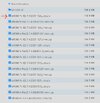
This one??No don’t use recovery version that’s for usb ie a rebuild just use ordinary image 7.6 and go slow.
Attachments
T
Last edited:

pabloescaban
VIP Member
One week ago you were having problems with sluggish channel changing.Hi all.
I have a Z-gemma H7S which is starting to take a few seconds to change channels and move between IPTV channels and folders.
I have notice when i try to do an update on the zgemma it tells me no updates are available. It on pure 2 version 6.5 build 001.
It hasn't upgraded since 2023.
Not sure if this is the issue or how to fix it.
Any help would be appreciated.
We've since found out your usb was a duffer so flashing wasn't possible.
What are you wanting to happen next?
Does it have to have pure2?
Openvix?
Openatv?
Do you just want it to be running normally, regardless of image?
You have a new usb so chasing old images and recovery files seems a waste of time to me when you can flash any image you like, install xtreamity and be watching iptv within half an hour
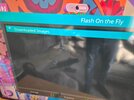
What happened?? I could not stay awake . If you got sorted or dropped off like me, !! It was 7.6 you needed. I'm putting 7.6 on h7s now and it may jog my memory!! oK got 7.6 set up and all works as it should. on the fly shows images downloaded and yellow button that says distribution shows 7 other images apart from PURE2 and it has VIX .
have you an update
. If you got sorted or dropped off like me, !! It was 7.6 you needed. I'm putting 7.6 on h7s now and it may jog my memory!! oK got 7.6 set up and all works as it should. on the fly shows images downloaded and yellow button that says distribution shows 7 other images apart from PURE2 and it has VIX .have you an update
pabloescaban
VIP Member
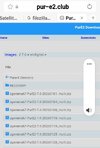
They're all the same, the newest is at the bottom, 28 JanuaryWhich on of these files do I use??
Oldest at the top 1st January
Flash on the fly found the file.just use the latest one ie look at dates use bottom one its 28 jan or 28/01
You can use another method to get to flash online, its menu setup software management flash online. To test network is ok, you go manager. network, then select speed test.
What next.
My personal laptop is not working for some reason and work laptop wont allow filezilla.
Ill have to go this way. Whats my next step. Network is good as well.
Attachments
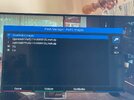
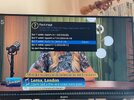
Do i place into slot 1click on that one and your image should appear.
Abu Baniaz
TK Veteran
Flash into any slot you want. If you want to keep your current image, you would not flash into the slot it's using.
SorryAh a pic would have been nice so now you have 4 slots showing so yes select slot 1 and flash, green button
Attachments
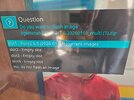

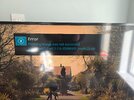
Is there a chance its stored in the wrong place?You are having a lot of luck. Try this get the latest pure file the one at the end that says 20260128 and try that. And try a different slot. Have you many recordings saved?
How do I check this.
Attachments
No it came up on previous pics. Have you the HDD internal or is it external via USB? And have you many recordings, you can reformat HDD to ext4 but it deletes everything.
Or try this go back to flash online by menu setup software management flash online and yellow should say distribution so press yellow and you should get this but wait as it downloads, then you are going to select openvix, click on it and flash file at top, green button to empty slot 3..
Or try this go back to flash online by menu setup software management flash online and yellow should say distribution so press yellow and you should get this but wait as it downloads, then you are going to select openvix, click on it and flash file at top, green button to empty slot 3..
Attachments
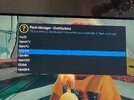
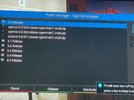
Last edited: